When it comes to high-quality printing, Canon printers are a trusted choice for many businesses and home users. Whether you need a Canon photocopier for your office, a Canon photo printer for capturing precious memories, or a Canon laser printer for efficient document printing.
CPC offers a variety of printers that cater to the diverse needs of Singapore’s businesses and homes. Whether you’re looking for a Canon laser printer for high-volume office work or a Canon photo printer for high-quality images, you can find a reliable and cost-effective solution.
Types of Canon Printers for Different Needs
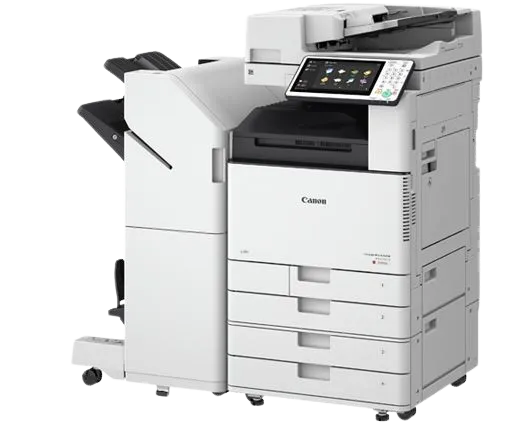
Canon Photocopier and Copier
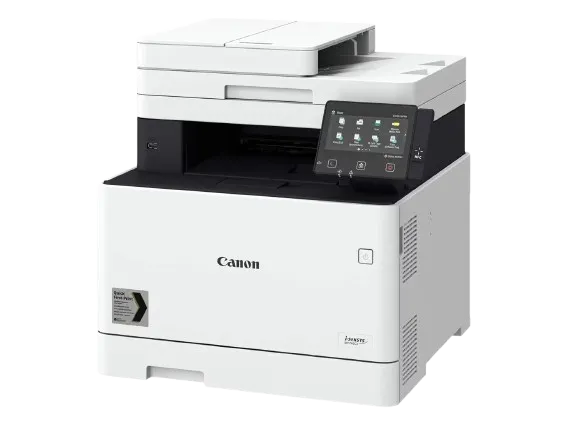
If you require Canon copiers for your office, Canon’s imageRUNNER series is an excellent choice. These multifunctional copiers can handle printing, scanning, copying, and faxing, making them perfect for businesses that need versatile equipment. The Canon photocopier can print sharp and crisp documents, ensuring high-quality results every time.
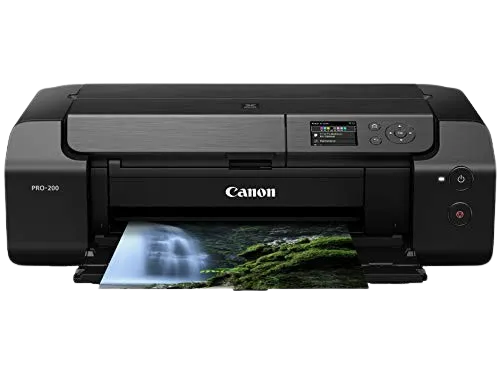
Canon Photo Printer
For photography enthusiasts, Canon photo printers offer superior image quality and vivid colors. With features like borderless printing and color accuracy, they are ideal for printing photos at home or in professional settings.
Canon Laser Printer:
Canon laser printers are designed for fast and high-quality printing of documents. With toner cartridges that provide crisp, professional-quality prints, these printers are perfect for busy offices that require high-volume printing.
Features of Canon Printers
A Canon black and white printer with scanner is a cost-effective solution for businesses that don’t need color printing but require efficient scanning capabilities. It’s ideal for everyday printing tasks like reports, memos, and invoices.
For users who need wireless printing solutions, the Canon Bluetooth printer is an excellent choice. This printer allows you to print from mobile devices or laptops without needing a Wi-Fi connection, offering convenience and flexibility.
Canon printer ink is available in a range of colors and sizes, ensuring that you get the best quality prints. Whether you’re using a Canon photo printer or a Canon laser printer, using original Canon printer ink guarantees optimal performance and print quality.
If you’re an Apple user, you’ll appreciate Canon AirPrint compatible printers, which let you print directly from your iPhone, iPad, or Mac without the need for additional software or drivers. This makes printing documents and photos easy and convenient.
How to Get the Best Performance from Your Canon Printer
To make sure your Canon printer works efficiently and produces top-quality prints, it’s important to maintain it properly. Here are a few tips:
Use Original Canon Ink: Always use genuine Canon printer ink to ensure the best results and to prevent damage to your printer. Third-party ink can cause issues with print quality and might even void your warranty.
Regular Cleaning: Over time, dust and ink residues can accumulate in your Canon printer, affecting its performance. Regular cleaning is crucial to keep it functioning at its best.
Whether you need a Canon printer for home use, a Canon photocopier for your office, or a Canon laser printer for efficient document printing, Canon offers a wide range of printers designed to meet your specific needs. With a variety of Canon printer models available in Singapore, you’re sure to find the perfect solution to enhance your printing capabilities.
For businesses and home users alike, CPC Solution offers expert advice and services to help you get the most out of your Canon printer. If you have any further questions or need assistance with your printer, feel free to reach out to us!
FAQ
How much is ink for a Canon printer?
The price of Canon printer ink can vary depending on the printer model and the type of ink cartridge required. Typically, ink cartridges range from $10 to $70 for color or black-and-white ink. Canon ink cartridges come in both standard and high-yield versions, with high-yield cartridges generally offering a lower cost per print.
How to check how much ink is left in a Canon printer?
To check the ink levels in your Canon printer:
On the printer’s display screen, navigate to the Ink Levels section in the menu.
Alternatively, you can use the Canon Printer Utility on your computer or smartphone, which will show you the ink levels for each cartridge.
How to clean a Canon printer?
To clean your Canon printer, follow these steps:
Turn off the printer and unplug it.
Use a soft cloth or microfiber towel to gently wipe the exterior.
For the printer’s interior, use a soft, lint-free cloth to clean the printhead and paper feed areas.
For the printer’s interior, use a soft, lint-free cloth to clean the printhead and paper feed areas.
If your Canon printer has a built-in cleaning function, you can initiate it from the printer’s settings menu for automatic maintenance.