
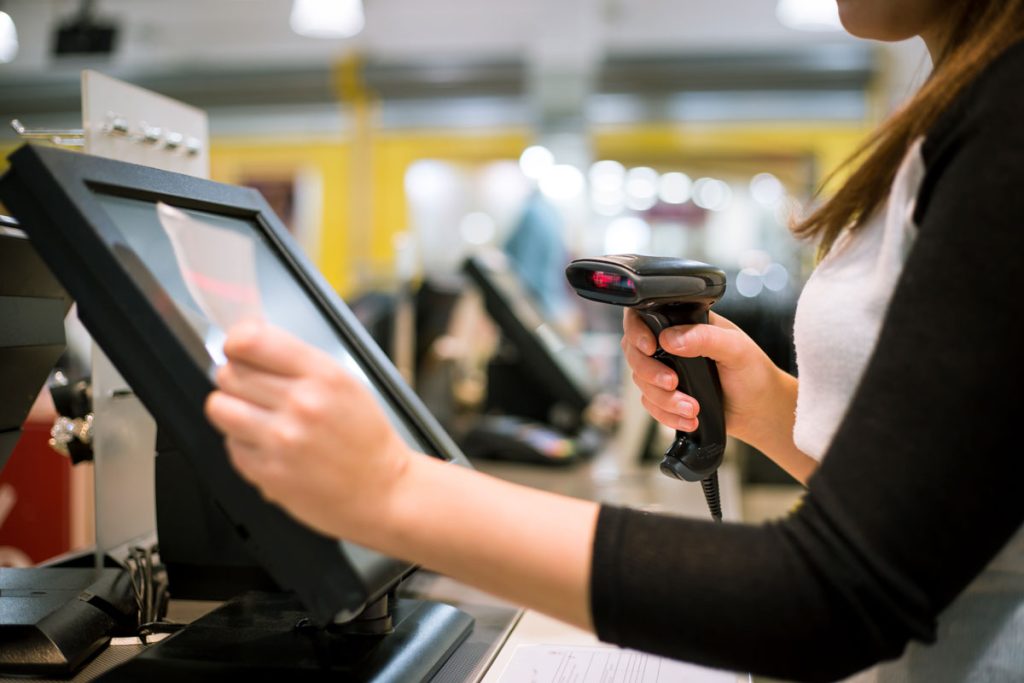
Choosing a POS system means balancing cost, features, and long-term scalability. Most businesses overpay for unused features or underbuy and hit growth limits within months. This guide shows you how to match your operations to the right POS software without regret.
What Actually Defines the Best POS System for Your Business
The best POS system depends entirely on your business model, transaction volume, and growth trajectory. A coffee shop might need speed and simplicity. A multi-location retailer, on the other hand, requires inventory synchronisation and analytics. Restaurants demand kitchen display integration and table management as a key requirement.
Generic comparisons between different brands of POS systems miss this reality. Instead of chasing top-rated labels, focus on three dimensions: operational fit, cost structure, and technical flexibility. A POS system for small business operations should reduce friction, not create complexity through unnecessary features meant for larger-scale operations.
Start by mapping your current workflow. Identify bottlenecks in checkout speed, inventory tracking, staff management, and reporting. The right POS software solves your actual problems rather than offering impressive features you will never use.
Payment acceptance represents the absolute foundation. You need credit cards, debit cards, contactless payments, and mobile wallets at competitive rates. Beyond this baseline, requirements diverge dramatically by industry.
Retail operations may prioritise inventory management with variant tracking, purchase orders, and supplier management. Service businesses need appointment scheduling, customer profiles, and service history tracking. Restaurants require table management, course timing, and kitchen communication systems.
Understanding your specific operational needs prevents paying for enterprise features when you run a single location, or choosing limited systems that cannot support your actual complexity. The best pos system matches your reality, not an idealised version of what vendors think you need.
Cost Structures: Where POS Systems Hide Their Real Price
Pricing transparency separates trustworthy POS software from budget traps. Monthly fees appear affordable until you factor in payment processing rates, hardware requirements, support charges, and upgrade costs.
Most providers advertise low base rates but monetise through transaction percentages. A system charging 2.6% plus 10 cents per swipe costs you $2,710 on $100,000 in annual card sales. Compare that to flat-rate processors or those offering interchange-plus pricing for high-volume merchants.
Processing rate structures also vary significantly. Some POS system providers lock you into their payment processor at non-negotiable rates. Others allow you to choose your own processor, preserving flexibility as your volume grows and you gain leverage to negotiate better terms.
Hardware represents another hidden cost. Cloud-based systems require tablets, card readers, receipt printers, and cash drawers. Legacy systems demand proprietary terminals. As a business owner, it is key to calculate the total implementation cost across 24 months, not just the first month’s subscription.
Contract terms matter equally. Some POS software providers lock you into multi-year agreements with early termination fees reaching thousands of dollars. Others offer month-to-month flexibility. For small business owners testing a new system, contractual freedom prevents expensive mistakes.
Support costs create another variable. Basic plans often include email-only support with 24-48 hour response times. Phone support, priority handling, and after-hours availability may cost extra through premium tiers. Consider whether your business can afford downtime while waiting for email responses.
Feature Priorities: What You Need vs. What Vendors Sell
POS system vendors market comprehensive feature lists. You need core capabilities that match your operations. Thus, separating your business requirements into essential, valuable, and unnecessary categories would help you identify what you truly need in a POS system.
Essential features for retail include inventory management, multi-payment acceptance, employee permissions, and sales reporting. Restaurants require table management, kitchen routing, modifier handling, and split payment capabilities. Service businesses need appointment scheduling, customer profiles, and service tracking.
Inventory management alone contains dozens of sub-features. Basic systems track quantity on hand. Intermediate systems add purchase orders and low-stock alerts. Advanced platforms include variant tracking, multi-location transfers, serial number tracking, and automated reordering.
Evaluate which level serves your operation. A boutique with 200 SKUs needs different inventory tools than a convenience store with 3,000 items. Paying for advanced warehouse management when you operate from 800 square feet wastes money monthly.
Valuable additions enhance operations without being mandatory. Customer relationship tools, loyalty programs, and advanced analytics fall under this category. They improve efficiency, but should not dictate your initial decision.
Loyalty program features range from simple punch cards to sophisticated points systems with tier levels and redemption rules. If you currently run no loyalty program, starting with basic capabilities makes sense. Paying for enterprise loyalty management represents premature optimisation.
Reporting and analytics separate functional systems from powerful ones. Every pos system generates sales reports. The best pos system for small business growth provides insights into customer behaviour, product performance, staff productivity, and trend analysis that inform strategic decisions.
Unnecessary features bloat costs and complicate training. Enterprise workforce management, multi-currency support, or franchise reporting tools do not serve single-location operations. Be honest about which capabilities you will actually use within the first year.
Integration Requirements: How Your POS Connects to Everything Else
Modern businesses run on connected systems. Your POS software should integrate with accounting platforms, e-commerce stores, email marketing tools, and inventory suppliers without creating manual work.
- Accounting integration saves hours of manual reconciliation. Native QuickBooks or Xero connections automatically sync daily sales, payments, taxes, and refunds. Your bookkeeper accesses accurate data without waiting for you to export reports or enter transactions manually.
- E-commerce synchronisation maintains a consistent inventory across physical and digital channels. When someone buys your last unit online, your POS system reflects this immediately, preventing overselling at your physical location. Prices update simultaneously across channels.
- Shopify and WooCommerce represent the major e-commerce platforms requiring integration. If you sell online or plan to sell online within two years, verify that native integration exists. Third-party middleware adds cost and creates another potential failure point.
- Payment processor flexibility matters equally. Some systems restrict you to their preferred processor, costing you better rates available elsewhere. Others support multiple processors, preserving your negotiating power as transaction volumes grow and you qualify for higher-tier pricing.
Implementation Reality: Getting From Purchase to Production
Sales demos often show polished workflows, but real implementation involves data migration, staff training, and operational adjustment. Underestimating this transition creates chaos during your busiest periods.
Plan for two to four weeks between purchase and full deployment. Use this time to import product catalogues, configure tax settings, establish user permissions, and train your team on core functions. Rushing this process guarantees mistakes that frustrate staff and customers.
Product catalogue setup consumes more time than expected. Each item requires a name, price, category, tax status, and potentially variants, suppliers, and reorder points. A retail store with 500 SKUs might need 10-15 hours of data entry even with spreadsheet imports.
Tax configuration affects every transaction. Sales tax rates, exemptions, and reporting requirements vary by location and product type. Incorrect settings create reconciliation nightmares and potential compliance issues. Verify the accuracy that the POS system is built for Singapore businesses before processing customer transactions.
Employee setup includes user accounts, permission levels, and PIN codes. Define who can process returns, apply discounts, access reports, or delete transactions. Overly permissive settings invite theft and errors. Overly restrictive settings slow operations and frustrate experienced staff.
Training determines adoption success. Staff resistance kills even the best POS system for small business operations. Involve your team early, gather their input on pain points, and demonstrate how the new system solves their specific frustrations rather than creating busywork.
Run parallel operations for several days, processing transactions on both old and new systems to verify accuracy. This redundancy catches configuration errors, reveals workflow gaps, and builds staff confidence before you depend entirely on the new POS software.
Support quality becomes critical during this phase. Evaluate vendor responsiveness through trial accounts or reference calls. Check whether support runs 24/7 or only during business hours, and whether you reach humans or navigate automated systems when problems arise.
Making Your Final Decision: A Framework for Comparison
Create a weighted scorecard comparing three to five shortlisted options. Assign point values to factors like cost, feature fit, ease of use, integration capability, and support quality based on their importance to your operations.
Cost receives a weight between 20-30% depending on your budget constraints. Include all expenses: monthly fees, processing rates, hardware, implementation, and support. Calculate the 24-month total cost for accurate comparison rather than focusing on advertised monthly rates.
Feature fit deserves 25-35% weighting. Score each system on how well it handles your essential requirements, not on total feature count. A system that perfectly meets your core needs outperforms one that offers 100 features you will never use.
Ease of use impacts daily operations and merits 15-20% weight. During demos, have actual staff members test the interface. Their feedback matters more than yours since they will use the system most frequently. Complicated interfaces slow transactions and increase training costs.
Integration capability grows in importance with business complexity. Weigh this 10-20% based on how many other systems you currently use. Simple operations with minimal integration needs can weigh this lower. Multi-channel businesses should weigh it higher.
Support quality prevents or extends downtime. Weight this 15-20% depending on your technical capabilities. If you have IT expertise in-house, support matters less. If technical issues paralyse your operation, prioritise vendors with proven responsive support.
Request demos focused on your specific use cases rather than generic presentations. Bring transaction scenarios, inventory challenges, and reporting needs to each demo. Watch how quickly representatives adapt to your questions rather than deliver scripted responses.
Test scenarios should include your most complex transactions. For retail, process returns with partial refunds. For restaurants, split checks and apply discounts. For service businesses, reschedule appointments and process deposits. Generic demos hide the limitations you will encounter daily.
Read contracts carefully before signing. Note automatic renewal clauses, rate increase provisions, and data ownership terms. Some vendors claim ownership of your customer information, complicating future migrations if you need to switch systems.
Red Flags That Signal Wrong-Fit Systems
Certain warning signs listed below might indicate that a POS system will overpromise and underdeliver. Recognising these red flags during evaluation prevents expensive mistakes.
Pushy sales tactics suggest vendor desperation rather than product quality. Representatives rushing you toward decisions, offering disappearing discounts, or dismissing your concerns prioritise their commission over your success. The best pos systems for small businesses sell themselves through capability demonstrations.
Vague pricing creates uncertainty and usually hides unfavourable terms. If representatives cannot provide clear written pricing, including all fees, hardware costs, and processing rates, assume the worst. Transparency builds trust, whilst obscurity enables exploitation.
Limited trial periods or demo restrictions prevent adequate evaluation. Vendors confident in their POS software offer 30-day trials or extended demo access. Vendors limiting you to 14 days or heavily restricted functionality fear that extended exposure reveals shortcomings.
Poor online reviews across multiple platforms indicate systemic issues. A few negative reviews exist for every product. Consistent complaints about hidden fees, poor support, or system reliability signal problems you will likely encounter.
Missing integration capabilities for your existing tools force workarounds or tool replacement. If you run Shopify and a system lacks native integration, you will manually sync inventory or pay for third-party middleware monthly. Either option wastes time and money indefinitely.
Unclear contract terms regarding cancellation, data export, or rate increases leave you vulnerable. Month-to-month agreements cost slightly more but prevent being locked into systems that fail to meet needs. Annual contracts make sense only after you have tested adequately.
Long-Term Cost Management and System Optimisation
Choosing the right POS system represents only the first step. Managing costs and optimising performance over time prevents overpaying while maintaining adequate capability.
Review processing statements monthly during your first year. Verify that rates match your contract and watch for new fees appearing without notice. Some processors gradually introduce charges they hope customers will not notice.
Negotiate better processing rates as volume grows. Once you exceed $50,000 in monthly card volume, you have leverage to request lower rates or switch processors. Systems allowing processor flexibility enable you to capture these savings.
Audit feature usage quarterly to identify paid capabilities you never use. Many businesses pay for advanced inventory management, customer relationship tools, or reporting features that they rarely or never use. Downgrading plans or negotiating custom pricing recaptures wasted spend.
Monitor system performance and reliability. If you experience frequent downtime, slow processing, or recurring bugs, document incidents and escalate through support channels. Unresolved reliability issues justify switching systems despite implementation costs.
Stay informed about product updates and new features. Vendors regularly add capabilities that might replace third-party tools you pay for separately. Enabling native functionality eliminates redundant subscriptions while improving data consistency.
Plan system reviews every 18-24 months. Business needs evolve, new pos software enters the market, and competitive pricing shifts. Periodic evaluation ensures your current system still represents the best value or identifies when migration makes financial sense.
Trust Signals and Long-Term Viability
Your POS system becomes mission-critical infrastructure. Choosing a provider means betting on their stability and continued development. Evaluate factors indicating whether vendors will serve you well for years.
Company maturity affects reliability and feature development. Established providers with thousands of customers demonstrate product-market fit and financial stability. Startups offer innovation but carry a higher risk of shutdowns that could force you into emergency migrations.
Funding and revenue visibility provide confidence. Publicly traded companies disclose financials. Private companies backed by major venture capital firms have resources for continued development. Bootstrapped startups may lack the runway to weather market changes.
Customer count and retention rates indicate satisfaction. Providers with growing customer bases and low churn rates deliver value that businesses recognise. High churn suggests systemic problems with product quality, support, or pricing.
Product roadmap transparency shows development commitment. Vendors sharing planned features and regular release schedules invest in improvement. Those providing vague promises or infrequent updates may have shifted resources elsewhere.
Industry recognition through awards, analyst rankings, or media coverage suggests peer validation. While not definitive, consistent recognition from multiple sources indicates quality that independent observers acknowledge.
Reference customers provide reality checks on vendor claims. Ask for introductions to businesses similar to yours in size, industry, and location. Question them about hidden costs, implementation challenges, support quality, and whether they would choose the same POS system for small business needs again.
CONCLUSION
Choosing a POS system without overpaying or underdelivering requires understanding your operational needs, evaluating total costs beyond monthly fees, and prioritising features you will actually use. Focus on systems offering operational fit, transparent pricing, necessary integrations, and responsive support. Test thoroughly before committing, negotiate favourable terms, and review regularly to ensure your system continues serving your evolving business needs efficiently.